Dec 22, 2025
Content
Quick Website Design Guide: Fast-Track Your Site in 2026
Launching a website at lightning speed is no longer just a dream in 2026—it is a necessity for staying ahead in the digital marketplace. Businesses and creators now expect results in days, not months, as new technologies continue to accelerate every stage of web development.
If you are seeking a competitive edge, mastering quick website design is the key. With evolving tools and trends, it is easier than ever to streamline the process, minimize delays, and get your brand online fast.
This comprehensive guide walks you through every step required to fast-track your website design and launch. From strategic planning and tool selection to design best practices, rapid development, and post-launch optimization, you will find actionable insights to help you succeed.
Step 1: Strategic Planning for a Fast Website Launch
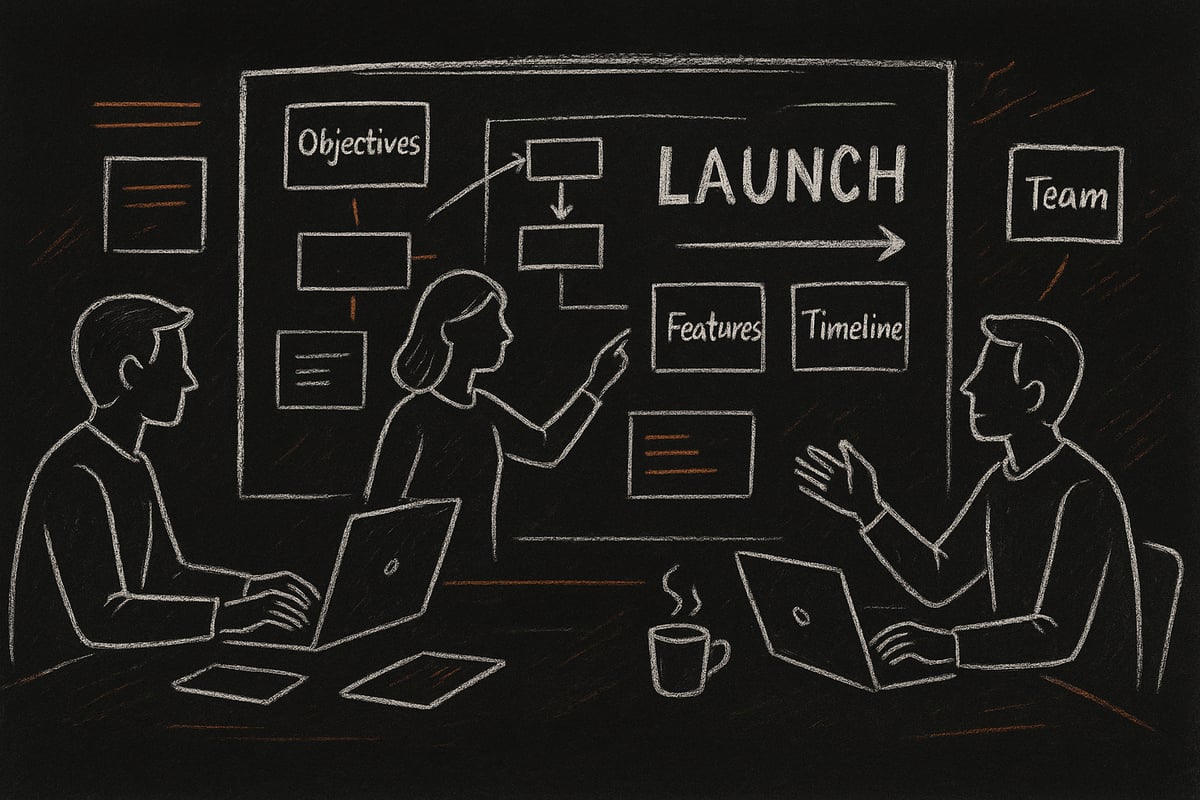
Launching a website quickly in 2026 requires more than just speed—it demands a strategic approach from day one. A successful quick website design starts with clear goals, a focused plan, and the right team. Let’s break down each step to ensure you build a solid foundation for your launch.
Setting Clear Objectives and Target Audience
Every quick website design must begin with sharp objectives. Are you aiming for lead generation, e-commerce sales, or portfolio display? Define what success looks like before you start.
Identify your target audience. A startup may focus on investors or early adopters, while a nonprofit targets donors or volunteers. Building user personas helps you tailor the site’s voice and features.
Did you know that 70% of failed websites lack clear objectives? As highlighted in Website statistics for 2025, planning is critical for success. Clarifying your goals and audience ensures every design choice supports your mission.
Mapping Out Essential Features and Content
List out must-have features for your quick website design: contact forms, product pages, and a blog are common essentials. Prioritize content for launch, saving extras for future updates.
Consider the Minimum Viable Website (MVW) approach. Focus on what’s crucial for day one, and avoid feature creep that can delay your timeline. A lean launch lets you iterate and expand as feedback rolls in.
Ask yourself: What can’t my audience live without? This mindset drives a focused, efficient launch.
Budgeting and Timeline Management
Set a realistic budget for design, development, and launch. Factor in costs for hosting, tools, and any outside help. Use project management platforms like Trello or Asana to keep tasks and deadlines clear.
Here’s a quick comparison:
Project Type | Typical Budget | Launch Timeline |
|---|---|---|
Small Business | $2k–$10k | 2–4 weeks |
Enterprise | $20k+ | 2–4 months |
Remember, 42% of web projects go over budget due to scope changes. Careful planning helps your quick website design stay on track.
Competitor Research and Inspiration
Analyze competitor websites for feature sets, layout, and design trends. Tools like BuiltWith and SimilarWeb offer insights into the technologies and strategies others use.
Draw inspiration from the best, but never copy. Instead, identify gaps—what are competitors missing? These gaps are your chance to stand out and make your quick website design memorable.
Keep a swipe file of ideas, layouts, and features that resonate with your brand vision.
Assembling Your Team or Resources
Decide if you’ll go the DIY route, hire freelancers, or partner with an agency. Each option has pros and cons.
Essential roles include designer, developer, content creator, and project manager. Even solo founders benefit from clear responsibilities and communication channels.
For example, agencies offer speed and expertise, while in-house teams provide control and flexibility. Align your choice with your quick website design goals and resources.
Step 2: Choosing the Right Platform and Tools
Selecting the right platform and tools is the cornerstone of quick website design. Your choices here impact speed, flexibility, and future growth. Let us break down the essentials to help you launch with confidence.

Comparing Website Builders vs. Custom Development
The first major decision in quick website design is choosing between website builders and custom development. Builders like Wix, Squarespace, WordPress, and Webflow offer ready-made solutions. They are ideal for rapid deployment, especially for small businesses or portfolios.
Pros of website builders:
Intuitive drag-and-drop interfaces
Built-in hosting and support
Fast setup with minimal coding
Cons:
Limited customization for complex needs
Potential long-term scalability issues
Custom development, by contrast, gives you full control and flexibility. This route is best for unique features or enterprise-level projects. For further insights on modern and efficient approaches, see Creative Website Design Strategies.
Choose website builders when speed is your top priority. Opt for custom development if your project demands advanced features or integrations. This step sets the pace for your quick website design journey.
Evaluating Essential Plugins and Integrations
No matter which platform you select, plugins and integrations are vital for quick website design. They enhance functionality and streamline your workflow. Focus on essentials that make a measurable impact.
Must-have integrations:
Analytics tools (Google Analytics, Hotjar)
SEO plugins (Rank Math, Yoast)
Email marketing (Mailchimp, ConvertKit)
E-commerce solutions (Shopify, WooCommerce)
Sites with optimized integrations load up to 40% faster, directly supporting a seamless user experience. Prioritize plugins known for speed and reliability. Regularly review your stack to prevent bloat, which can slow down your quick website design process.
Leveraging AI and Automation for Faster Design
Artificial intelligence is now a game-changer for quick website design. AI-powered tools can generate layouts, write copy, and even create images in minutes. This automation helps agencies and solo creators alike move from concept to launch rapidly.
AI tools streamline:
Wireframing and mockups
Automated content generation
Image creation and optimization
In 2026, over 60% of agencies rely on AI for some part of the design process. Embrace these tools to accelerate your workflow and reduce manual effort. By integrating AI, your quick website design will stay ahead of the competition.
Mobile-First and Responsive Frameworks
With mobile traffic dominating the web, mobile-first design is non-negotiable for quick website design. Responsive frameworks like Bootstrap 6, Tailwind CSS, and Material UI ensure your site looks and works great on any device.
Popular frameworks:
Bootstrap 6 for rapid prototyping
Tailwind CSS for utility-first styling
Material UI for consistent components
A mobile-optimized site often outperforms desktop-first competitors in both speed and user experience. Always test your layouts on multiple devices to guarantee a flawless quick website design.
Security and Scalability Considerations
Security and scalability cannot be overlooked in quick website design. Start with SSL, regular backups, and secure hosting. Modern providers offer features like auto-scaling and DDoS protection to handle sudden traffic spikes.
Key security steps:
Enable SSL from day one
Schedule automated backups
Choose hosting with built-in security features
Planning for future growth ensures your quick website design remains robust as your audience expands. A secure, scalable foundation keeps your launch on track and future-proofs your investment.
Step 3: Designing for Impact and Speed
Designing for impact and speed is crucial for a quick website design that stands out in 2026. Every element, from navigation to branding, needs to work together to deliver a seamless and memorable experience. Let’s break down the essential components that will set your site up for rapid success.
Crafting a User-Centered Design
A user-centered approach is the cornerstone of any quick website design. Focus on intuitive navigation and clear calls to action that guide visitors effortlessly. Well-placed menus and logical page structures reduce bounce rates, keeping users engaged.
Consider these principles:
Prioritize simplicity in navigation menus.
Place CTAs where users expect them.
Use whitespace to separate key elements.
According to research, 88% of users will not return after a poor experience. For deeper insights on creating impactful and fast user journeys, see UX Design for Web Projects. By centering design decisions around user needs, your quick website design will foster trust and drive conversions.
Branding and Visual Consistency
Consistent branding is essential for building credibility in a quick website design. Select a color palette, typography, and imagery that reflect your brand’s values. Consistency across every page increases trust by up to 30 percent.
Leverage design systems for speed:
Define a style guide with core brand assets.
Use pre-set color and typography scales.
Apply the same logo placement site-wide.
A cohesive look not only accelerates the design process but also creates a memorable impression for visitors. In 2026, visual harmony is a key differentiator in a crowded digital landscape.
Optimizing for Performance and Accessibility
Performance and accessibility are non-negotiable in any quick website design strategy. Compress images and minify code to ensure fast load times, delivering a smooth experience for all users.
Follow these best practices:
Use automated tools for performance audits.
Check WCAG 2.2 compliance for accessibility.
Schedule regular asset reviews.
Tools like Lighthouse and Axe can help automate much of this process. Accessible, high-performing websites reach more users and are favored by search engines, setting your site up for sustainable growth.
Content Structure and Readability
Effective content hierarchy is vital for a quick website design that communicates clearly. Use H1, H2, and H3 headings, short paragraphs, and bullet points to make content scannable.
Tips for content structure:
Start with clear, descriptive headings.
Break text into manageable chunks.
Highlight key points with bullets or bold text.
Studies show users read only 28% of a page’s content. Clear structure improves both SEO and engagement, ensuring your message is delivered efficiently.
Utilizing Templates and Design Kits
Templates and design kits are game-changers for quick website design projects. They allow for rapid prototyping without sacrificing quality or uniqueness.
Key benefits:
Reduce build time with pre-made components.
Customize templates to match your brand.
Access a wide range of options on ThemeForest or Figma Community.
By leveraging these resources, you can launch faster and iterate as your needs evolve. Customization ensures your site remains authentic while benefiting from proven design patterns.
WebSuitable: Your Strategic Web Design Partner
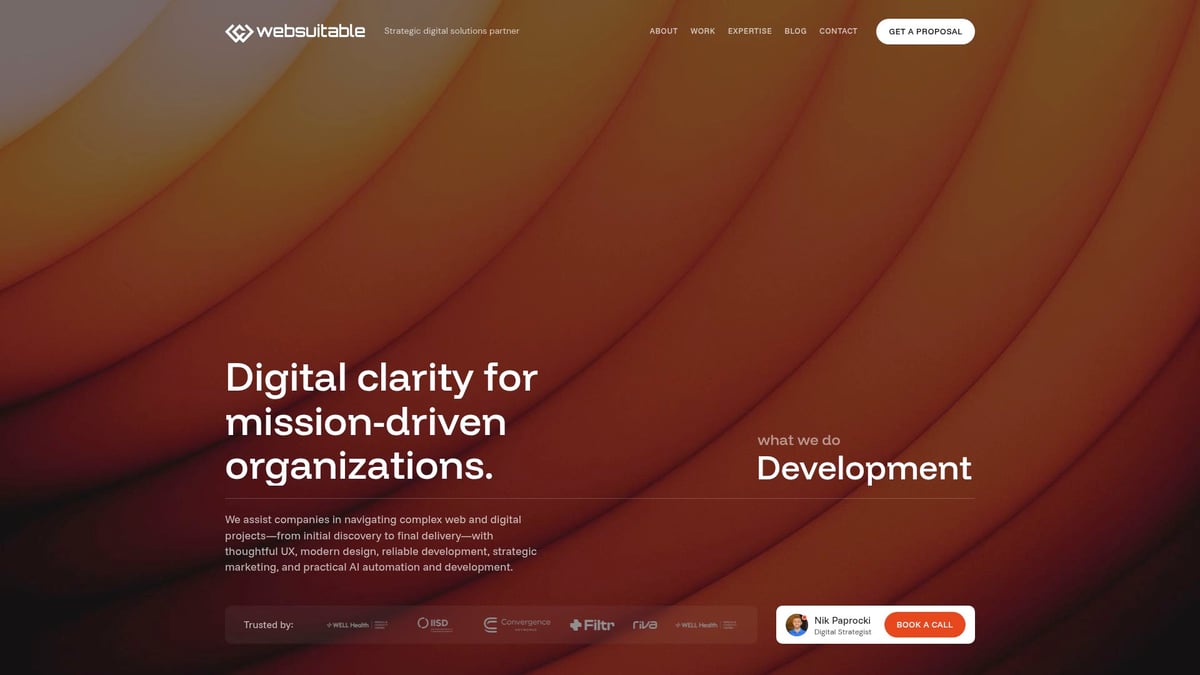
WebSuitable specializes in quick website design, offering custom web design, branding, and digital marketing services to accelerate your launch. Their expertise spans user-centric design, modern development, and AI-powered solutions.
What sets WebSuitable apart?
350+ successful projects with a 98% retention rate.
Full-service support from planning to optimization.
Ideal for organizations seeking clarity, creativity, and measurable results.
Partnering with WebSuitable means gaining a trusted ally for every phase of your project, ensuring your website launches quickly and achieves lasting impact.
Step 4: Rapid Development and Efficient Build Processes
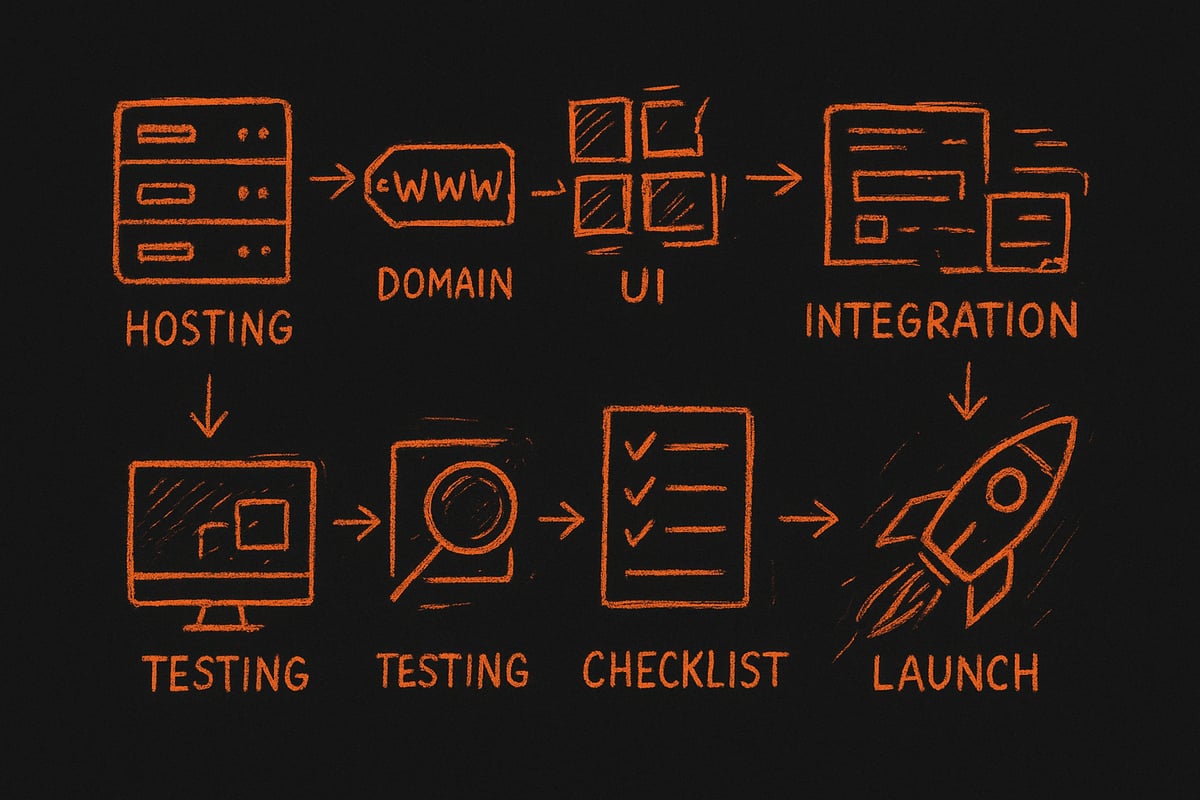
Launching your site at record speed depends on a well-structured process. In this step, you will learn how to accelerate each build phase, from hosting setup to going live. By following these proven tactics, you can achieve a quick website design that stands out and performs from day one.
Setting Up Hosting and Domain Quickly
Every quick website design project begins with reliable hosting and a domain name. Choose a provider known for speed and uptime, such as those offering SSD storage and global CDN options. Instant domain registration and streamlined DNS setup are standard in 2026, letting you secure your web address and point it to your host in minutes.
Many hosts now provide one-click setup wizards. These tools guide you through linking your domain, installing SSL certificates, and deploying your site files, all in a single workflow. For teams aiming to launch fast, prioritizing hosts with automated backups and 24/7 support is essential.
Streamlining the Build with Modular Components
Efficiency is key in quick website design, and modular components are your best ally. Use drag-and-drop builders or frameworks that let you combine reusable blocks—such as headers, footers, and forms—without writing custom code from scratch.
Here’s how modular design speeds up your workflow:
Pre-built widgets for common features
Easy theme customization
Rapid prototyping with live previews
According to Custom Website Design Insights, teams leveraging modular and custom solutions can reduce development time by up to 35 percent. This approach also ensures consistency across pages and simplifies future updates.
Integrating Essential Features Fast
A quick website design must include core features that drive engagement, such as contact forms, e-commerce, and booking systems. In 2026, most platforms offer plug-and-play integrations, allowing you to add vital components with minimal configuration.
Top instant integrations include:
Payment gateways (Stripe, PayPal)
Newsletter sign-ups
Live chat and support widgets
Focus on solutions with built-in analytics and responsive layouts. This allows you to maintain speed and usability, even as you expand functionality. Choose integrations that are supported and updated regularly for security and compatibility.
Testing, Debugging, and Quality Assurance
Testing is a non-negotiable step in any quick website design process. Automated tools like Lighthouse and BrowserStack help you check performance, accessibility, and mobile responsiveness in real time.
Here’s what to test before launch:
Cross-device compatibility
Load speed and performance
Broken links and missing assets
AI-powered QA tools now detect UI inconsistencies and suggest fixes instantly. Regular testing ensures your visitors enjoy a seamless experience, regardless of device or browser.
Ensuring SEO Readiness from the Start
SEO should be built into your quick website design from the beginning. Implement on-page essentials such as meta tags, schema markup, and XML sitemaps. These elements help search engines understand your content and boost visibility from day one.
For actionable guidance, refer to Web Design and SEO Essentials, which highlights the intersection of smart design and search optimization. Remember, 93 percent of online experiences start with a search engine, so early SEO work is crucial for discovery and growth.
Launching with Confidence
Before going live, complete a thorough pre-launch checklist. Back up your site, set up redirects, install analytics, and review legal pages for compliance. Many teams opt for a “soft launch” to test in a real-world environment before a full-scale announcement.
Promote your launch through email, social media, and press releases. A quick website design process is only complete when your site is live, monitored, and ready to evolve based on user feedback and analytics.
Step 5: Post-Launch Optimization and Growth
Launching your site is only the beginning. To maximize the benefits of a quick website design approach, post-launch optimization is essential. This phase ensures your website remains high-performing, secure, and ready to scale. Let us explore the core steps to keep your site on the path to growth and success.
Monitoring Performance and User Behavior
Effective post-launch management starts with monitoring. Set up Google Analytics 5, Hotjar, and similar tools to track user movement and engagement. These insights reveal how visitors interact with your site, spotlighting strengths and opportunities for improvement.
Use heatmaps to visualize user journeys, identifying which areas capture attention and which are ignored. This data-driven approach helps refine your quick website design, making adjustments that boost usability and conversions.
Regularly review metrics like bounce rate, page load times, and popular content. Remember, 70 percent of improvements often come from insights gathered after launch. Prioritize ongoing analysis to keep your website responsive to user needs.
Speed and Security Optimization
Maintaining fast load times and robust security is crucial after launch. Employ monitoring tools like GTmetrix and Pingdom to check site speed consistently. Automated alerts can notify you of performance dips or vulnerabilities.
Schedule regular security scans to catch potential threats early. Backups should be automated, ensuring data is safe in case of issues. A quick website design benefits from proactive updates to plugins and system files, reducing downtime and risk.
Keep your SSL certificates current and use secure hosting providers. Making speed and security a routine priority lays the foundation for trust and long-term growth.
Content Updates and Iterative Design
A successful website evolves with its audience. Use a content calendar to plan regular updates, keeping information fresh and relevant. Experiment with A B testing on landing pages to find what resonates with visitors.
Iterative design means embracing continuous improvement. Leverage AI in web design to automate content creation, personalize user experiences, and streamline updates. According to AI in web design, automation tools are transforming how quickly sites adapt to changing needs.
By refining your quick website design through ongoing content and design enhancements, you maintain user interest and stay ahead of competitors.
SEO and Marketing for Growth
Optimizing your site for search engines and marketing is key for sustainable growth. Start by building quality backlinks, submitting your site to local directories, and creating an active blog. Sites with ongoing content updates attract 55 percent more traffic.
Incorporate emerging trends from website design trends for 2026 to stay relevant and appealing. Quick website design strategies should always include meta tag optimization, structured data, and mobile SEO to capture your target audience.
Promote your launch through email campaigns, social media, and targeted ads. A focused marketing plan ensures your website reaches more users and drives consistent engagement.
Gathering and Acting on User Feedback
User feedback is a goldmine for improvement. Integrate feedback tools like surveys, chatbots, and review widgets to capture visitor opinions. Analyze this input to identify pain points and opportunities for enhancement.
Respond to feedback promptly, showing your audience that their voice matters. This approach not only refines your quick website design but also builds trust and loyalty. Engaged users are more likely to return and recommend your site to others.
Use feedback data to prioritize updates and address recurring issues. Continuous dialogue with your users leads to a more dynamic and user-friendly website.
Planning for Future Expansion
A forward-thinking mindset ensures your website remains scalable. Begin roadmapping new features, such as e-commerce modules, membership areas, or multilingual support. Prepare your infrastructure for increased traffic and evolving business needs.
Stay informed about future web design trends 2026 to guide your expansion strategy. Quick website design is not just about speed, but also about laying a foundation for growth.
Document your plans and set milestones for feature rollouts. By preparing for the future, your website will remain relevant and competitive as your organization grows.
Now that you’ve explored the essentials of fast-tracking your website launch—from smart planning and tool selection to high-impact design and ongoing growth—it’s clear that having the right strategy and support makes all the difference. If you’re ready to put these steps into action and want expert guidance tailored to your goals, I invite you to take the next step. Let’s discuss how you can achieve a standout, high-performing site that’s ready for 2026 and beyond.
Book a free strategy call
and let’s set your website up for success together.

Nik Paprocki
Director of Digital Strategy at WebSuitable
[ Blog ]